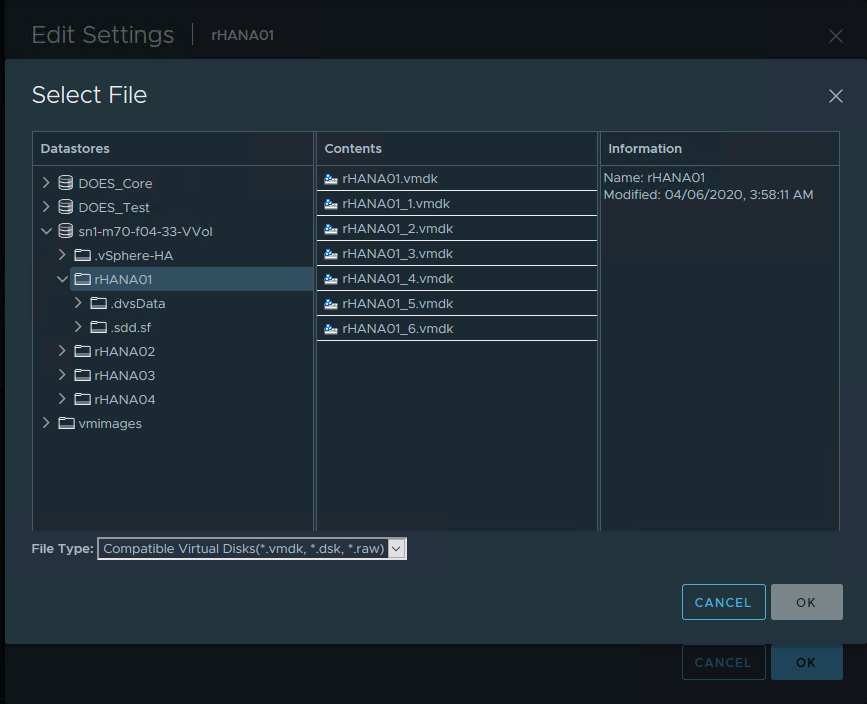
Perform step 3 (while powered off) by selecting “Add New Device” and adding an “Existing Hard Disk”.
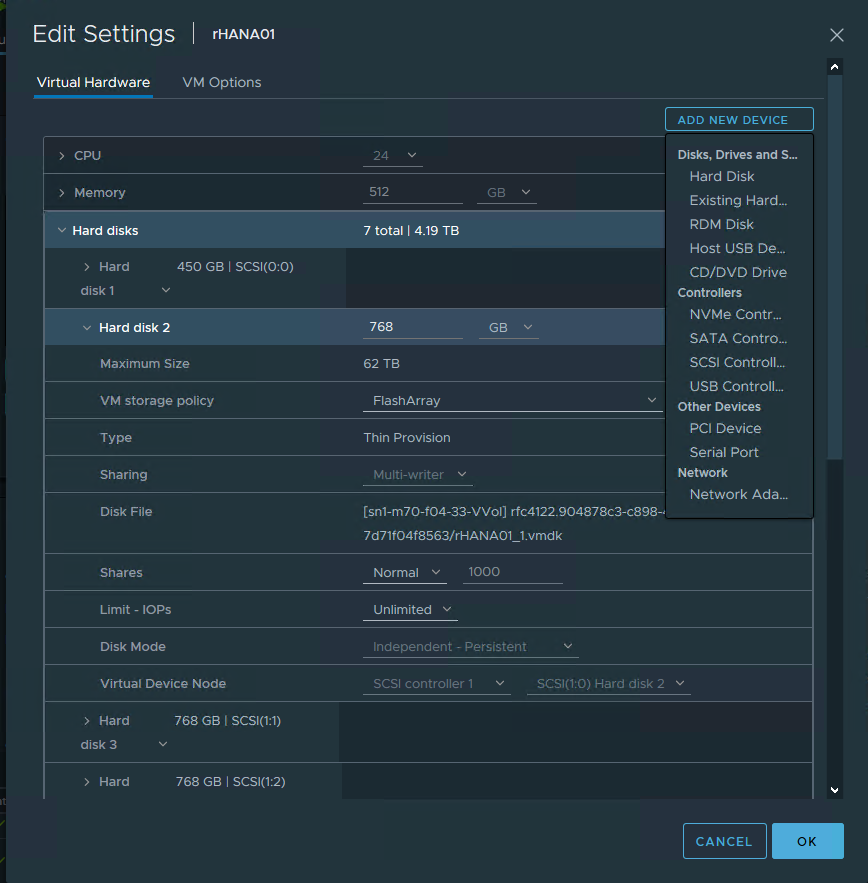
The hard disks to be added to each virtual machine in the 3+1 configuration scenario will likely be “vm_name_from_step_2_number.vmdk”. These disks do not need to be stored with the virtual machine, but it is recommended that a single virtual machine be nominated as the “owner” for traceability purposes. Ensure that when adding an existing disk all of the relevant properties are set as shown in step 2.