Specifying the discovery scope is the most important step. There are several protocol options, in the Protocol dropdown select SMI-S CIMXML. You can either use an IP address or Fully Qualified Domain Name (FQDN) for the FlashArray. Select Use Secure Sockets Layer (SSL) connection. The TCP/IP port automatically changes from 5988 to 5989. This is the secure port used by SMI-S.
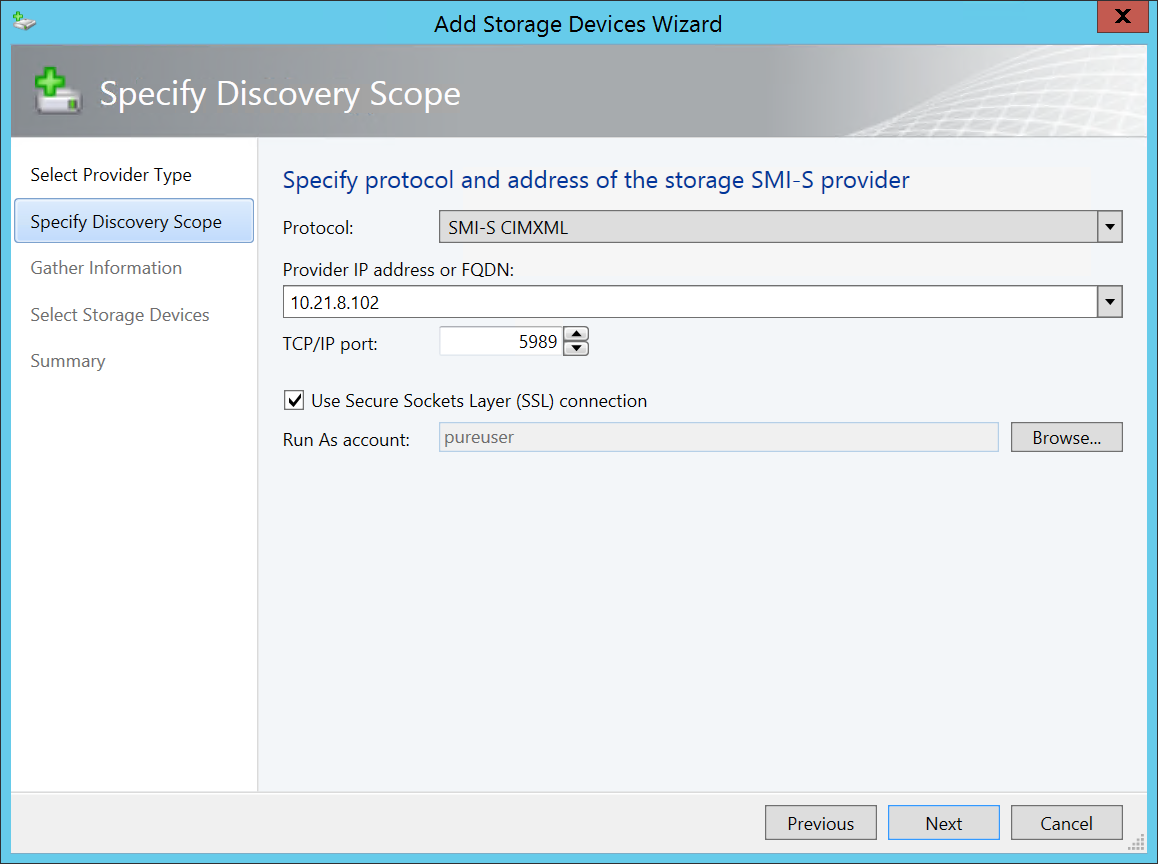
A Run As account needs to be created that contains the authentication details to connect to the FlashArray. Click Browse. Once the Select a Run As Account dialog opens, click Create Run As Account. Using the default FlashArray authentication credentials. Then Create a Run As account named pureuser that maps to the default pureuser account for FlashArray web management.
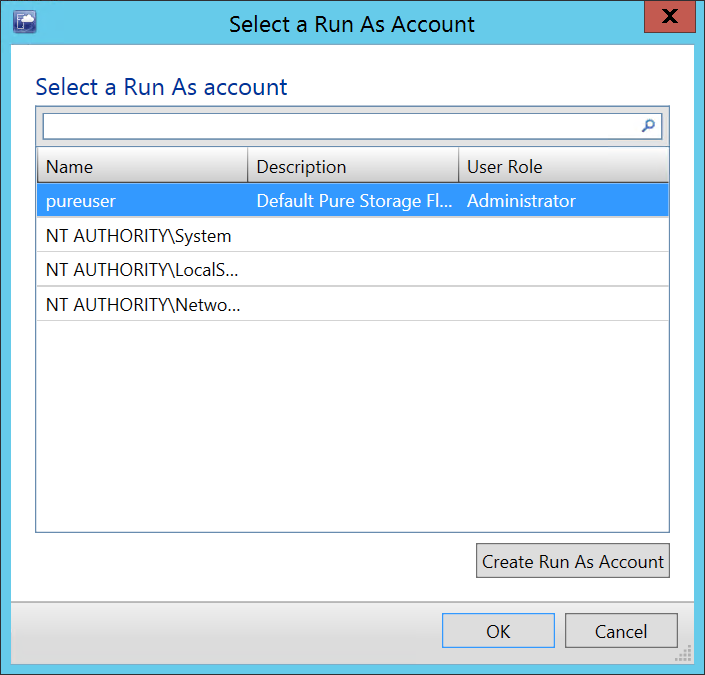
Click OK then Next to start the discovery and import task.